Jobs

Search for a job here..
Job title:
showing 52,505
Chimera
Add
Pike recruitment
Add
Learning Retain Cloud
Add
Yellow Chain Launch
Add
Smitham, parker &Ā hackett
Add
Cooper audit
Add
Orbs communication
Add
Net Orbit
Add
Chimera
Add
Chimera
Add

There's a new update available

A new application design is coming your way!
Please continue to scroll.

Retain International

A talent resourse management company.

About Retain
Retain International offers resource planning and talent management solutions globally through their cloud platform. While users can track time on their web app, this feature is missing on their mobile app.
What this case study looks into
This case study examines how Retain implemented a mobile time tracking feature alongside a rebrand and redesign. It outlines challenges, solutions, and outcomes, showcasing improved usability and client satisfaction.
"I loved the bright colours, I think that it's very important to promote new energy"
- Retain user tester
My role
UX/UI Designer
UX Researcher
Team
Product Owner
Mobile Developers (2)
Line Manager (2)
Time frame
4 weeks
Tools
Figma
Microsoft Teams
DevOps
Tower
Users are forgetting to log their timesheets using
the Retain Cloud application. Something needs to changešŸ“± ..
Context
My contribution &Ā responsibilities
I was the UX/UI designer for this project. I carried out the rebrand, designed all mobile screens, implemented Lottie animations, carried out the competitor analysis, ideation sessions and usability testing as well as liaised with the developers and facilitated the design hand-off.
Constraints
The challenges faced
Scope creep
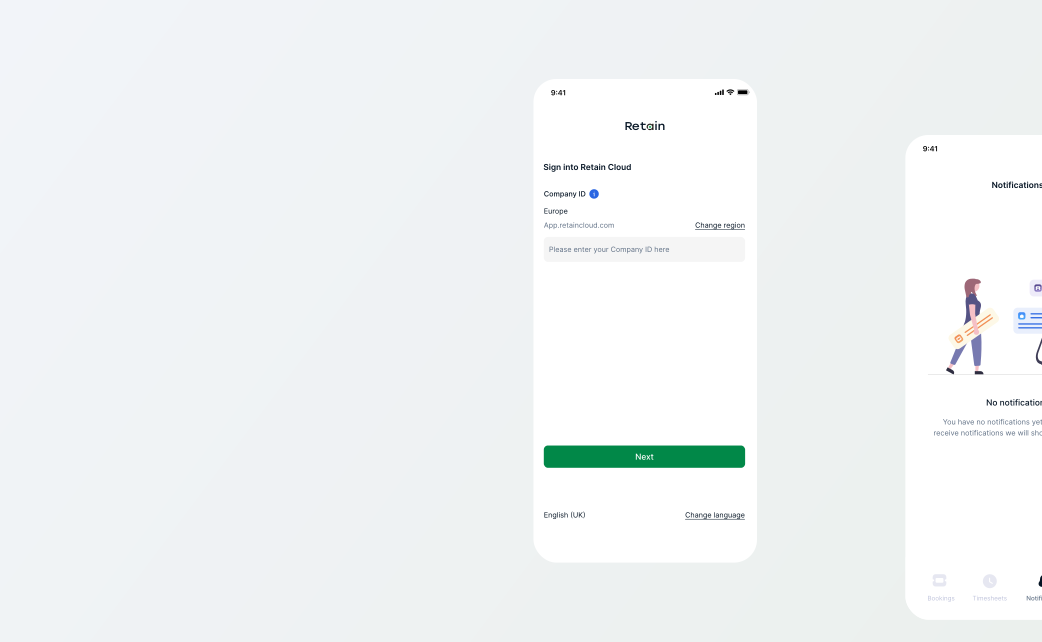
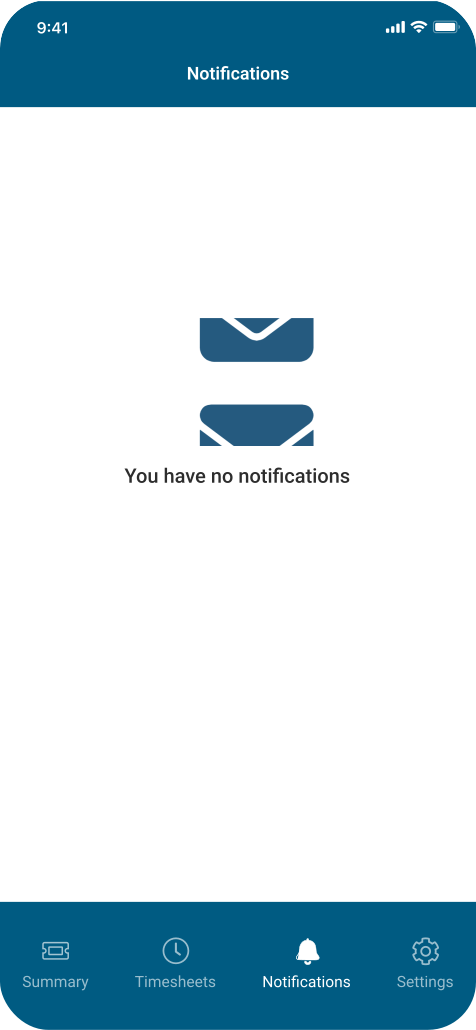
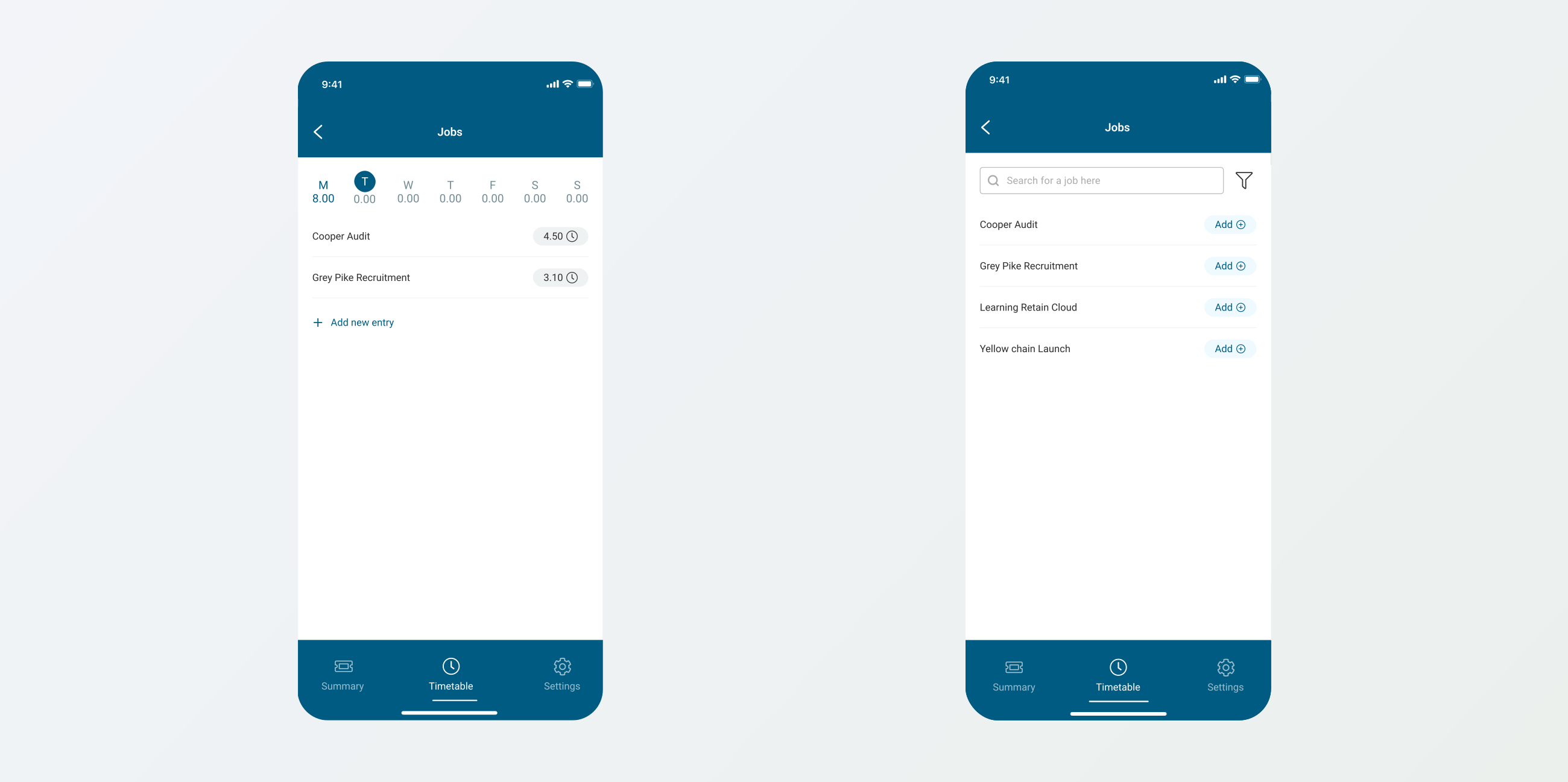
The original design was in blue and white. With the transition to a new manager, I proposed a UI design. This resulted in a complete rebranding of the mobile app within the same sprint.
Missing mobile design System
I simultaneously designed the timesheet feature, revamped the app and created Retain's first mobile design system in a green and white framework for consistency in future features.
Dev communication
I collaborated with developers, leveraging my Swift skills to align and fix Xcode builds. I attended weekly mobile dev stand-ups to ensure smooth progress with the new framework and timesheets feature.
Leadership change
During the sprint, I found myself reporting to two line managers while single-handedly executing an application rebrand. A challenge I was being pulled in different directions from manager calls & feedback.
Problems statement
One of Retain's highest paying client has threatened to move to a competitor if we do not offer a better solution for timesheets. Retain has received numerous amount of user complaints regarding the inefficiency of logging timesheets through the Cloud application. The mobile application is also outdated and inconsistent with the marketing branding.
Goals
Designing an efficient timesheet based on user's needs &Ā painpoints
Retain's core objectives include client retention through mobile tracking, consistent design for familiarity, and efficient time logging, ensuring user satisfaction and engagement.
Client retention
Retaining the client and renewing their license with Retain. This involves creating a mobile timesheet logging feature.
Consistent design
Having a consistent branding from the marketing site to the platform shows continuity, familiarity, and professionalism
Efficient time logging
To streamline time logging and job filtering for users, making the process seamless and efficient. Focusing on user input behaviour.
User testing
Remote usability testing
I created a prototype for user testing using Figma and facilitated remote sessions via Microsoft Teams. While I could only engage 5 users, I also enlisted feedback from 3 Retain team members to ensure thorough validation of the designs.
What did the test results show?
The users didn't struggle to complete the tasks and navigate their through the timesheets.

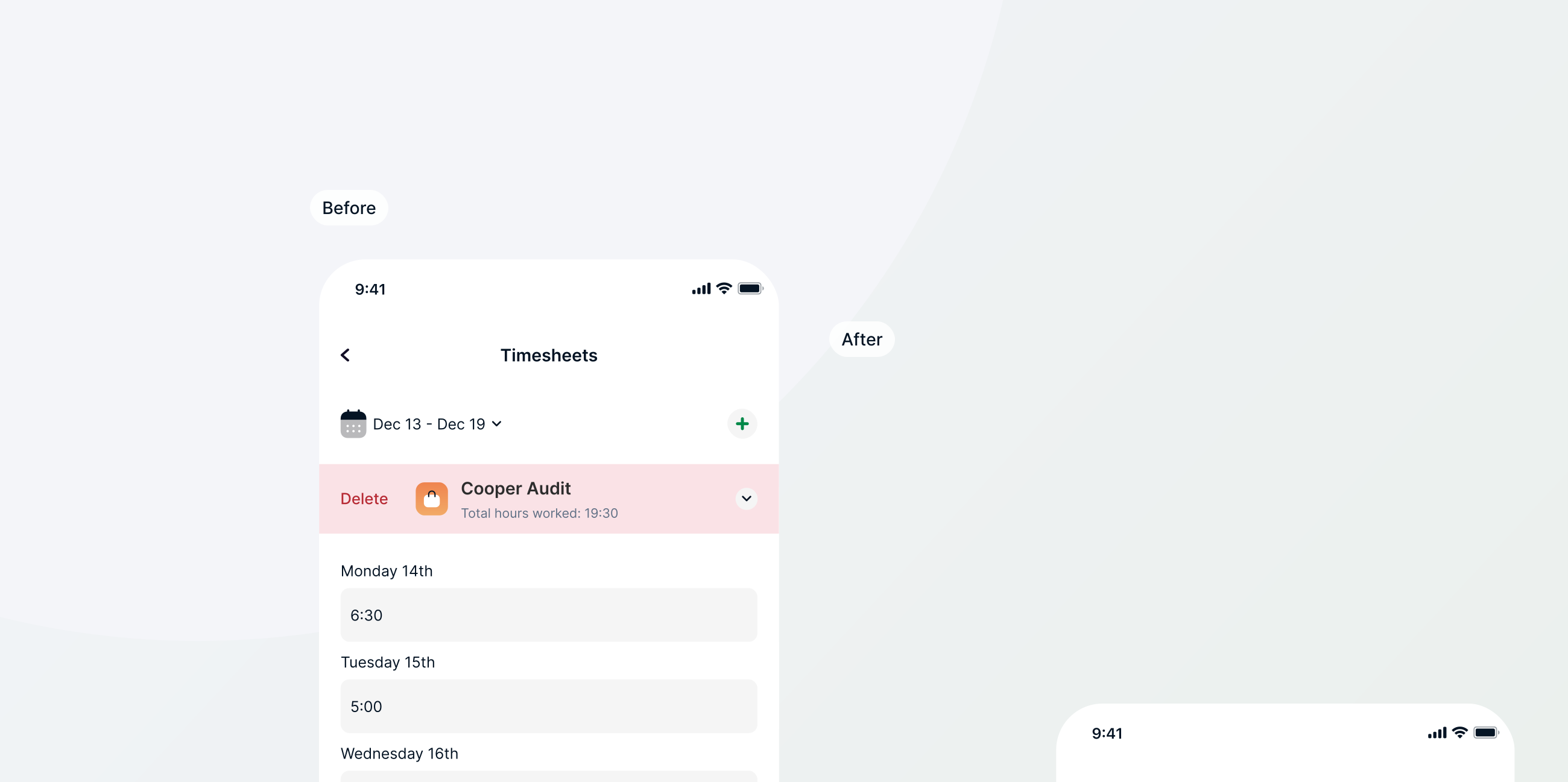
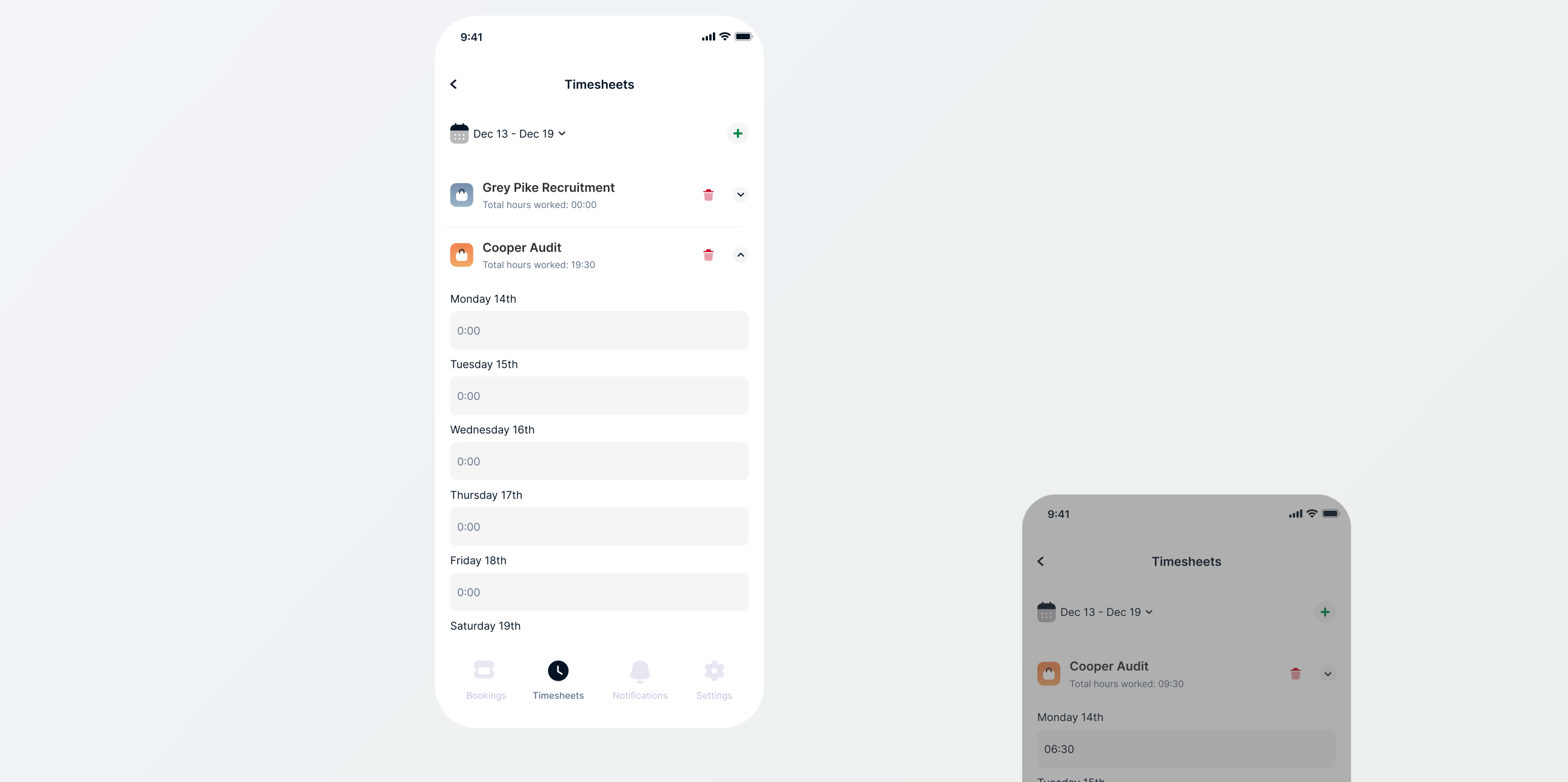
However, 4 out of 7 didn't know they could swipe to delete, which is interesting as Gmail has the same feature so I asked if a bin icon would be more intuitive and they agreed.Below is the design difference from the user testing results.
Results
The final outcome
The results of Retain's mobile app overhaul include retaining a key client, Ā achieving design consistency, implementing user-centred features for time tracking, and fostering user satisfaction and appreciation for the rebrand.
Client Retain-edĀ (pun intended)
šŸŽ‰ The key success was retaining the client who was about to leave for a competitor.
Modern and consistent design
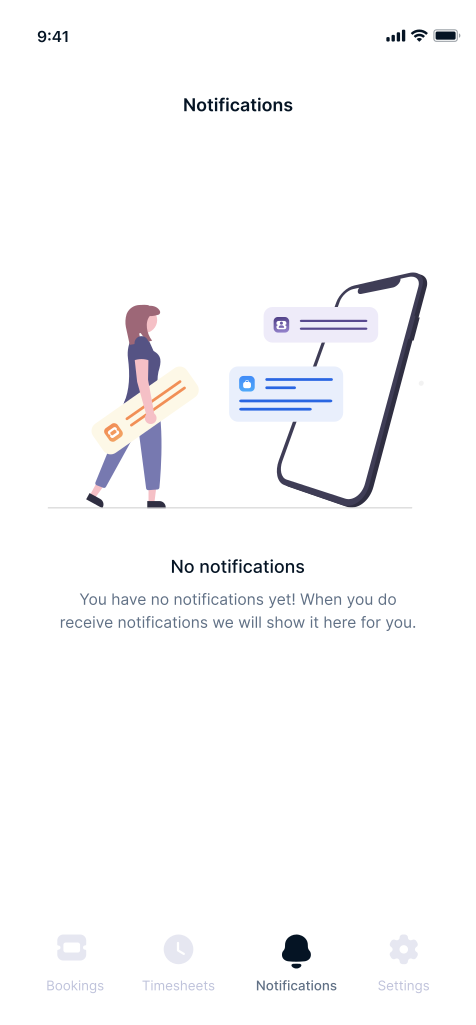
Our redesign matches the marketing site's branding and is preferred over the old design.
Happy users
Improved user experience, allowing on-the-go time logging and quick job filtering.
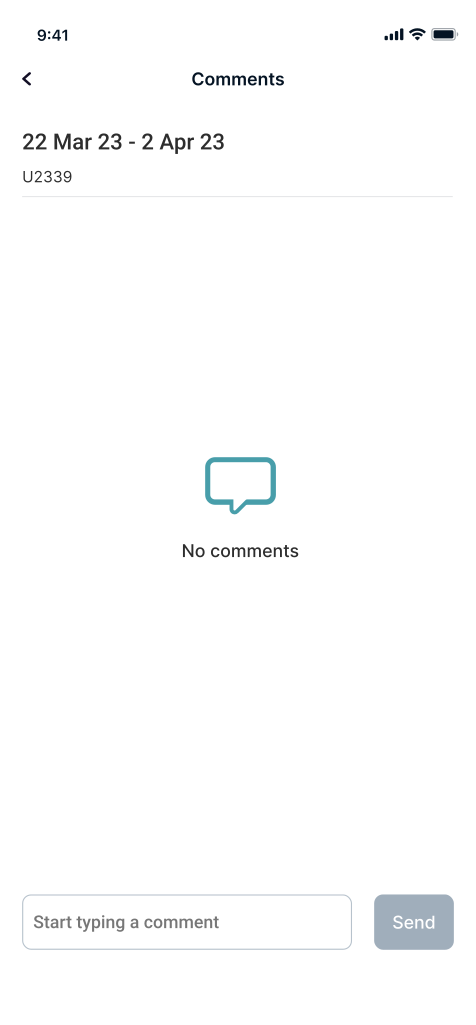
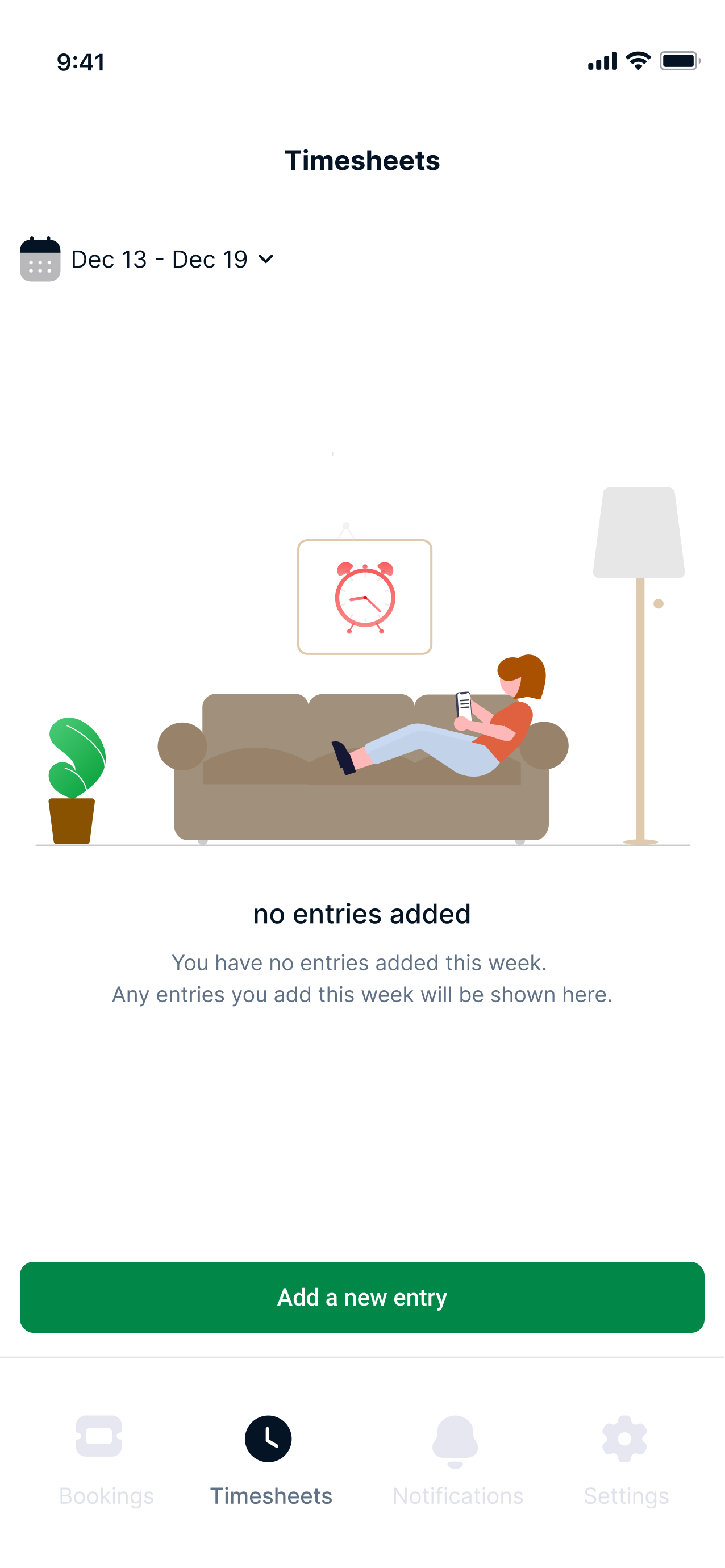
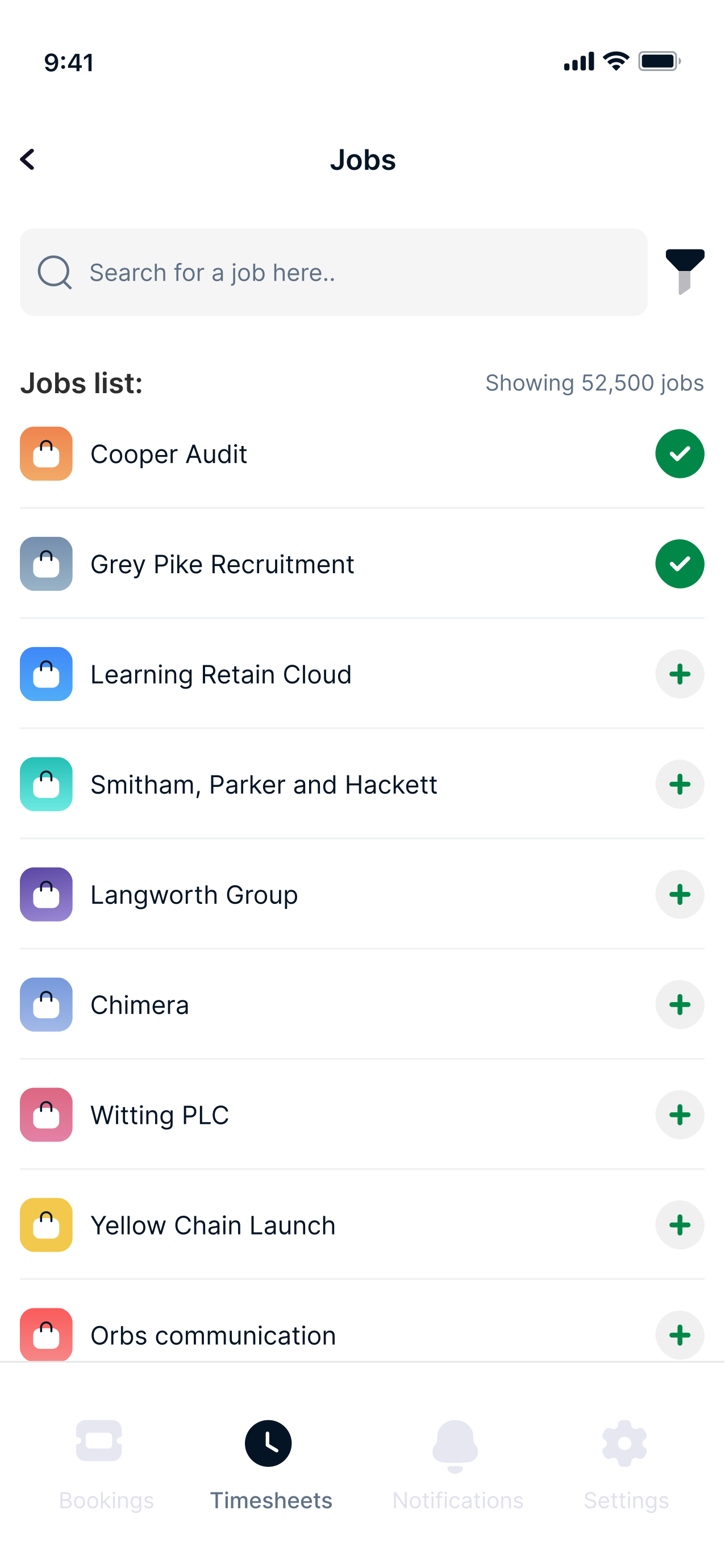
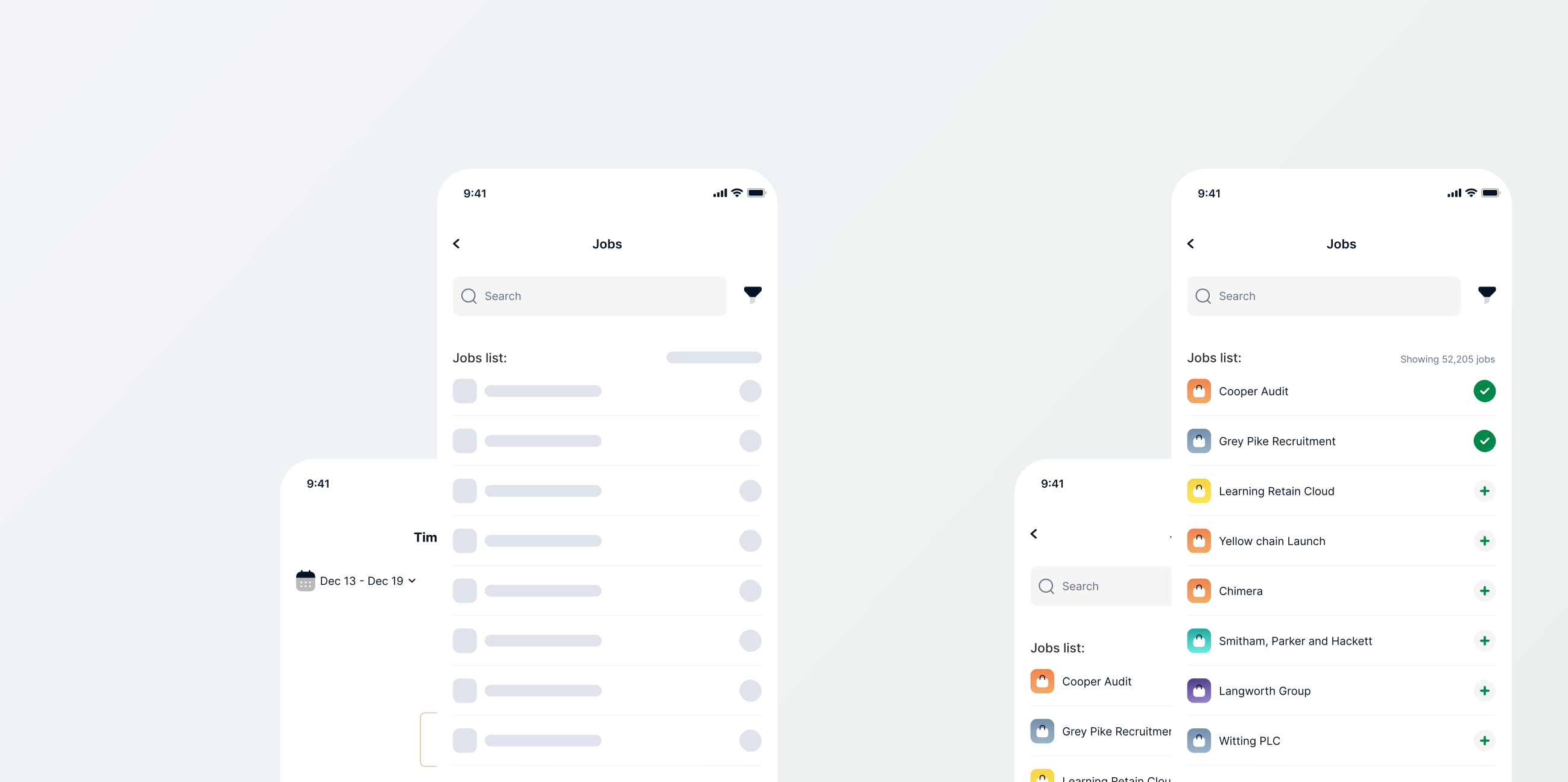
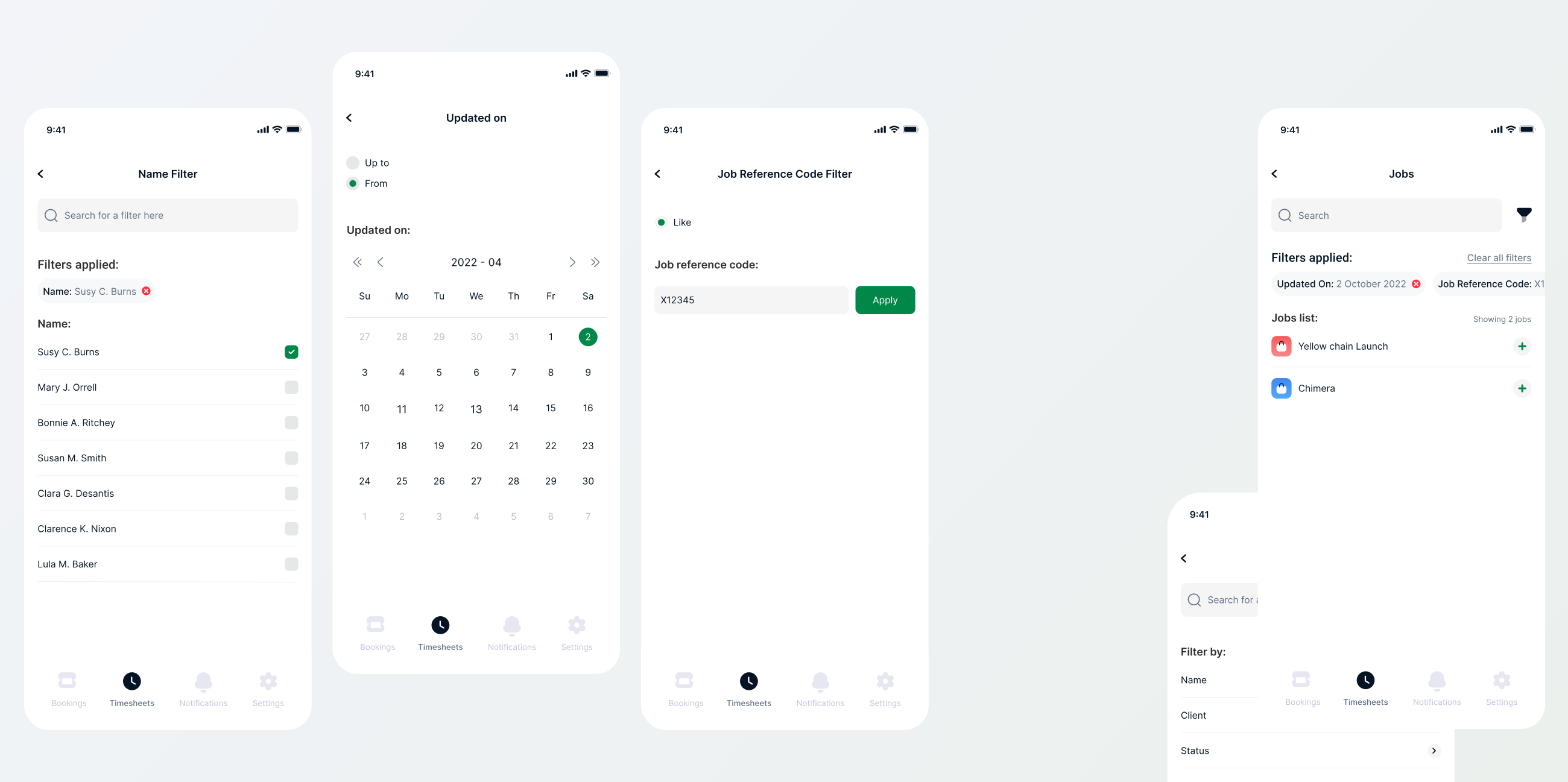
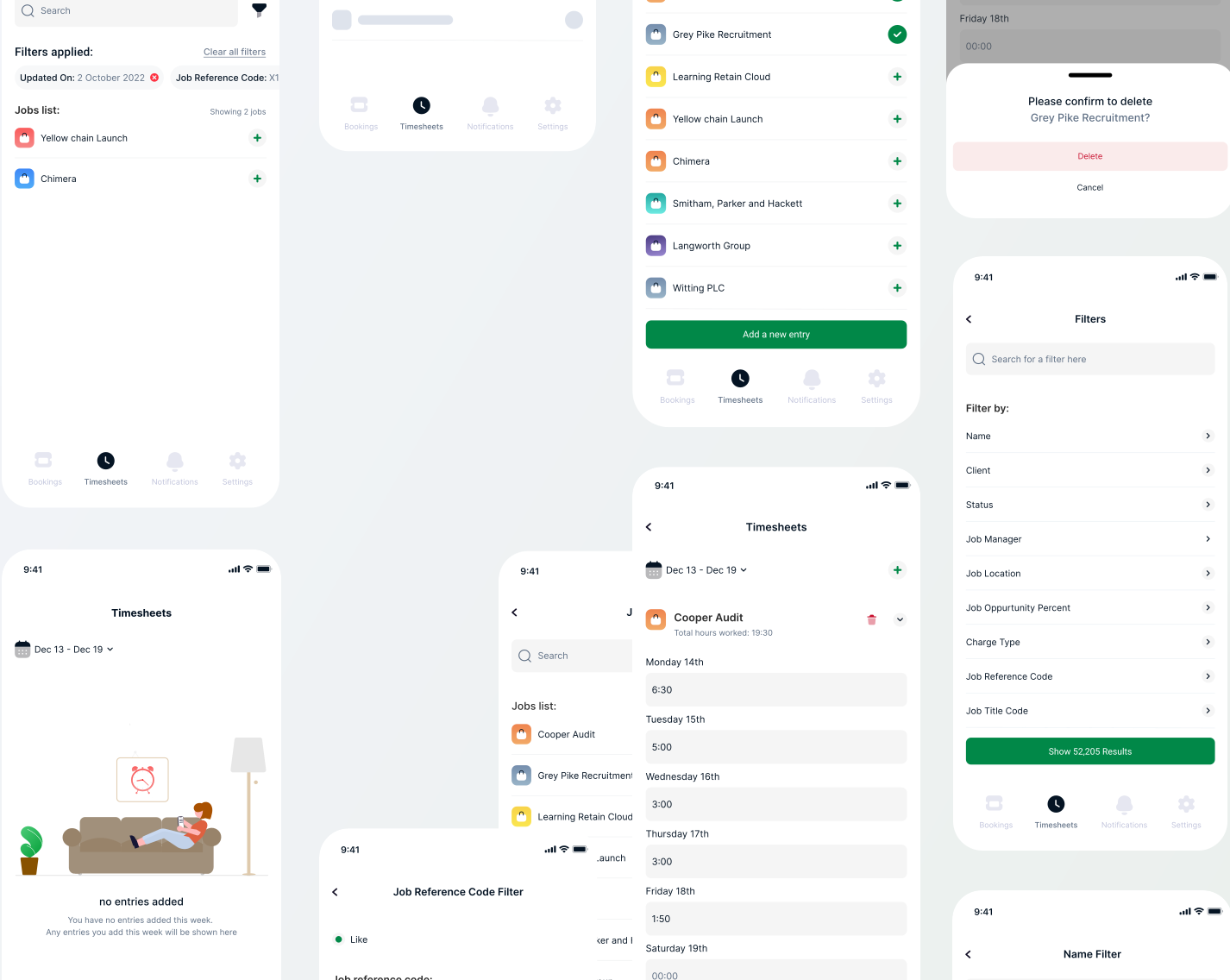
Empty state & choosing jobs to log worked hours
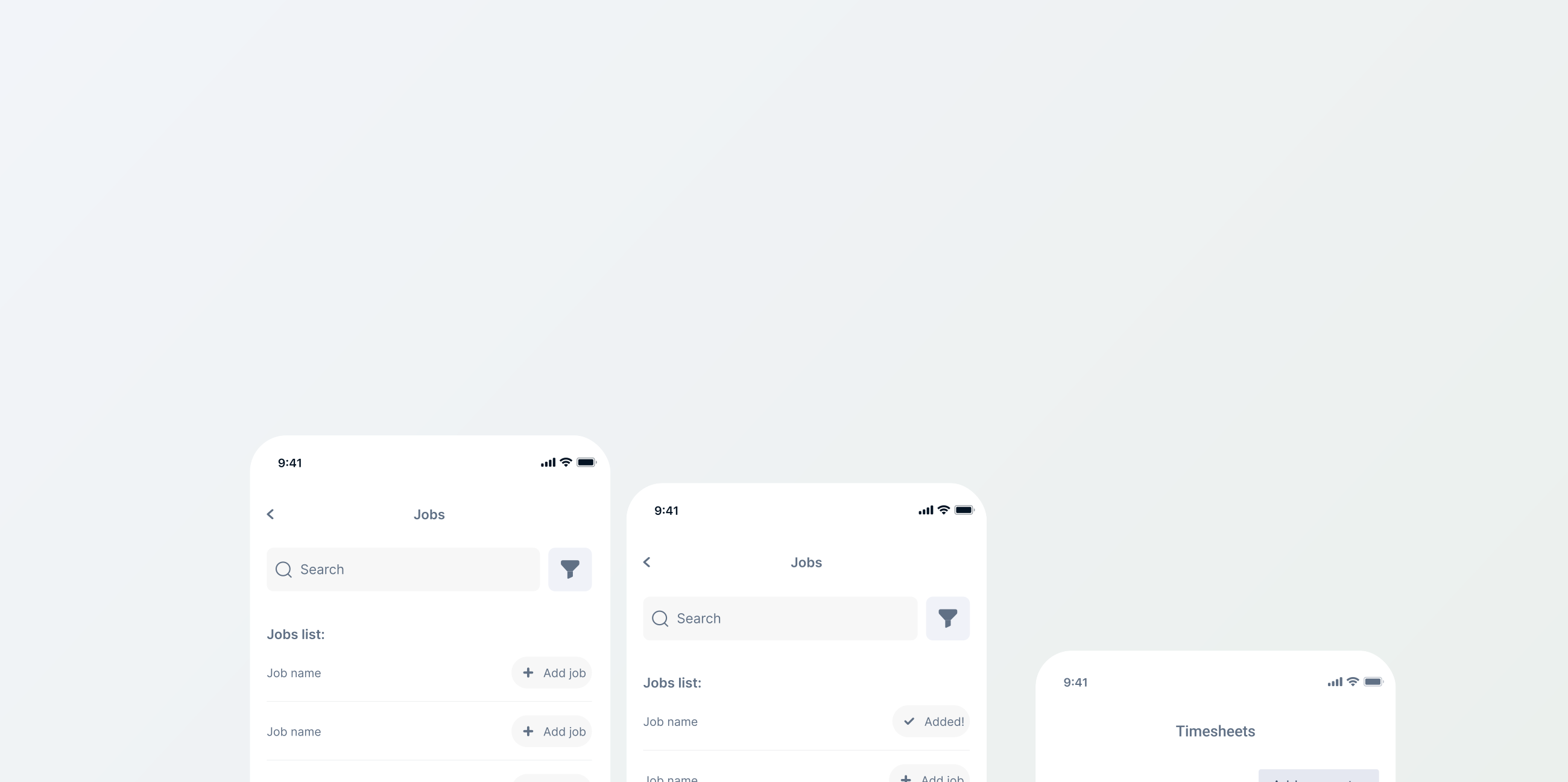
Users work on multiple jobs throughout the week, for that reason the option of choosing more than one job at a time was available.
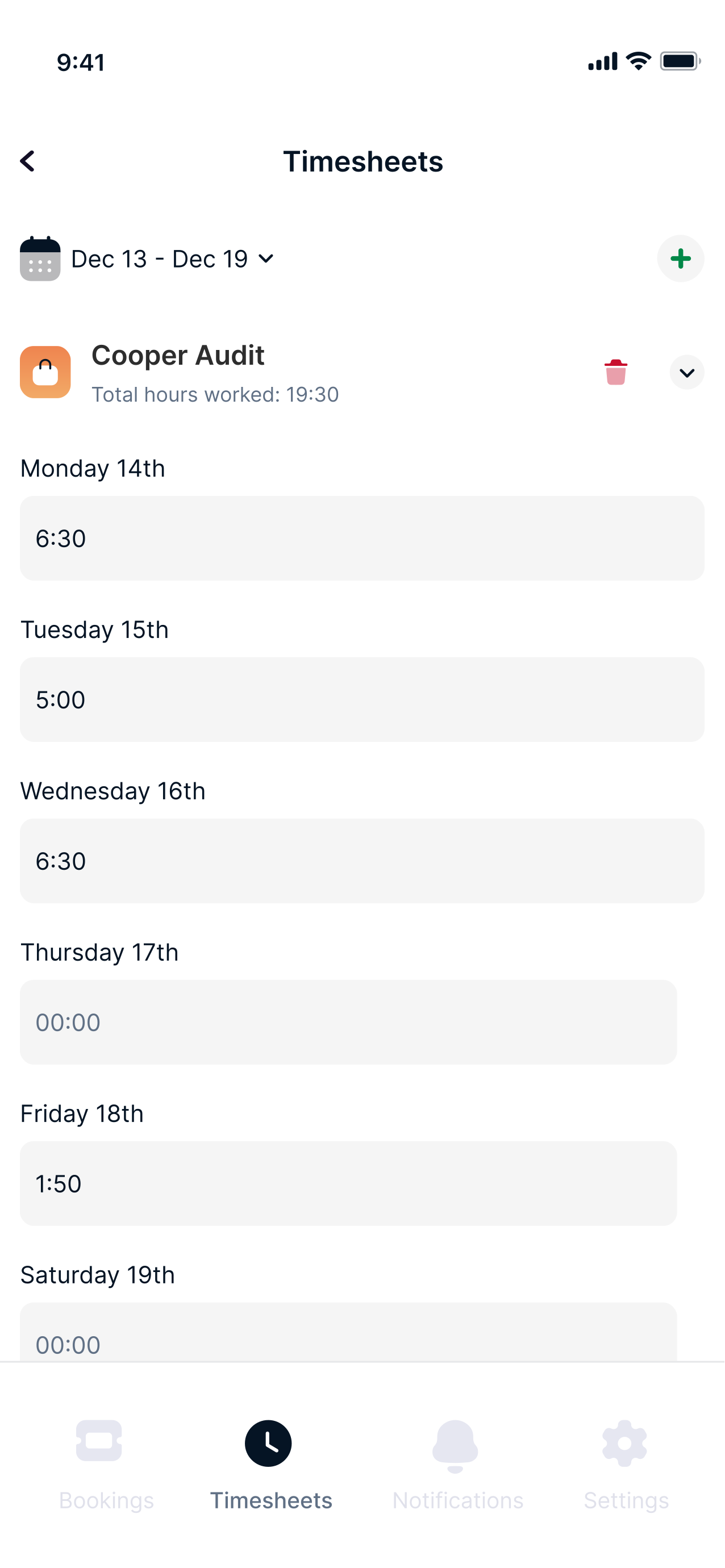
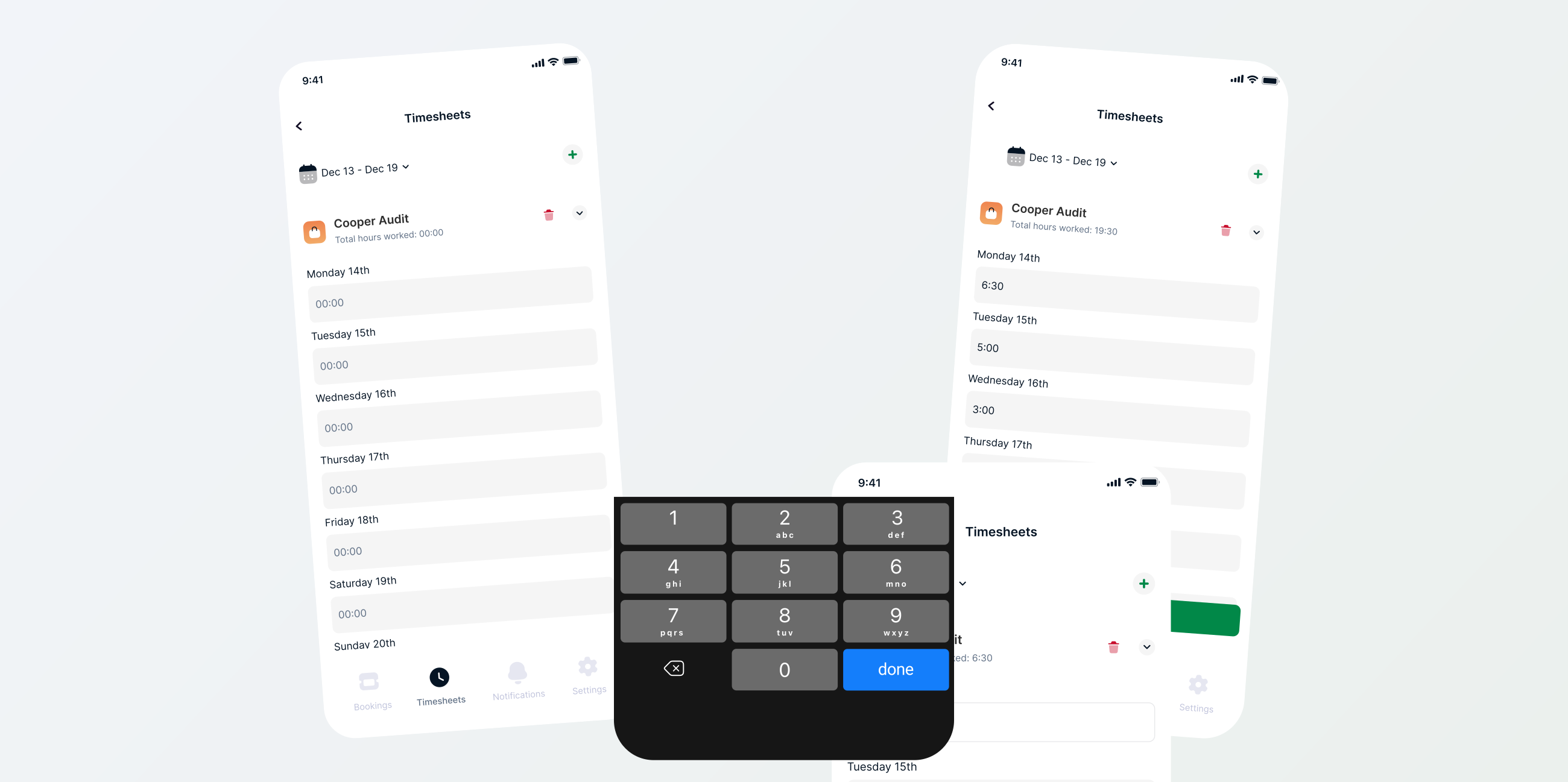
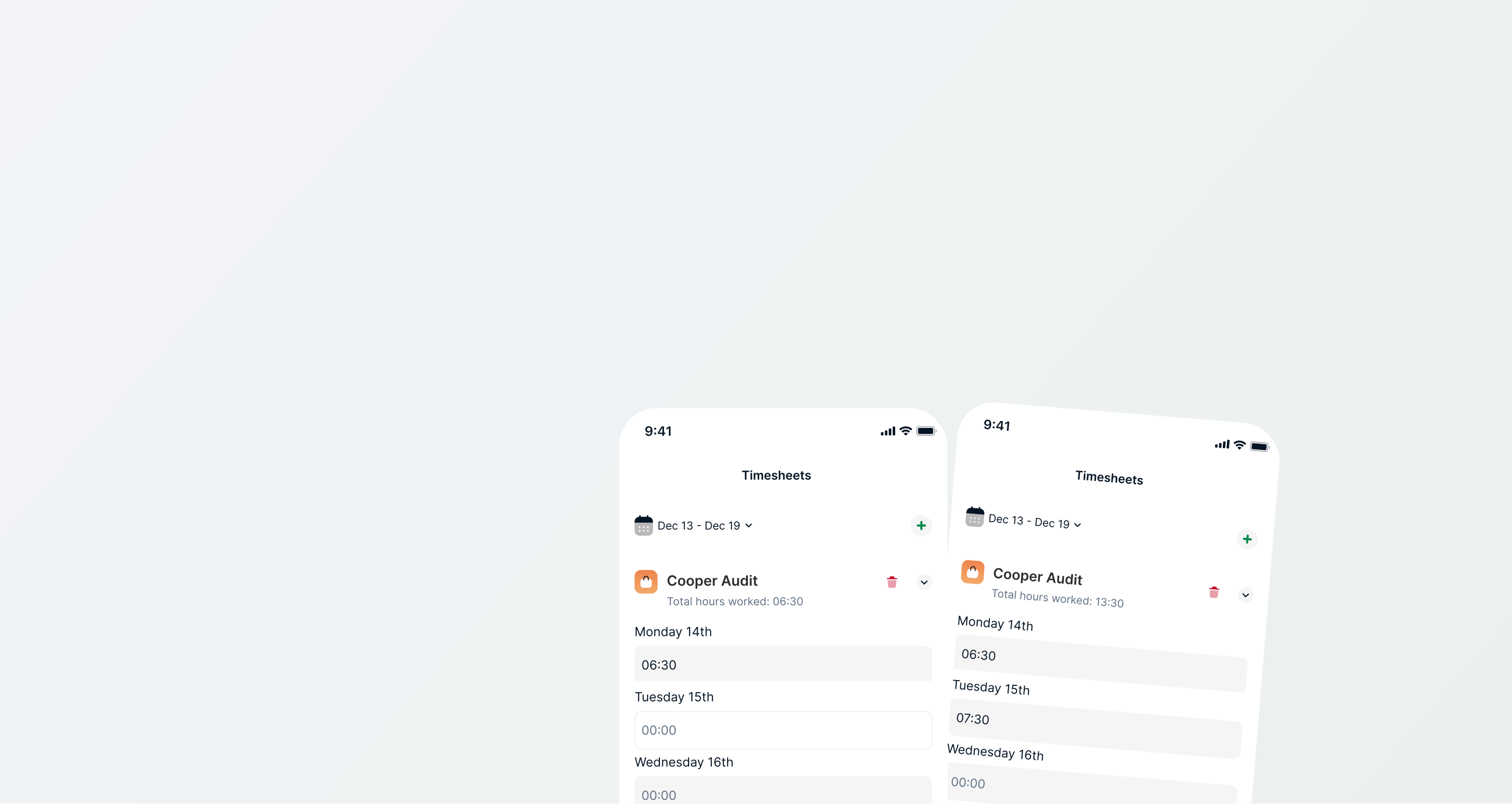
Logging hours to accommodate 70% of weekly input users
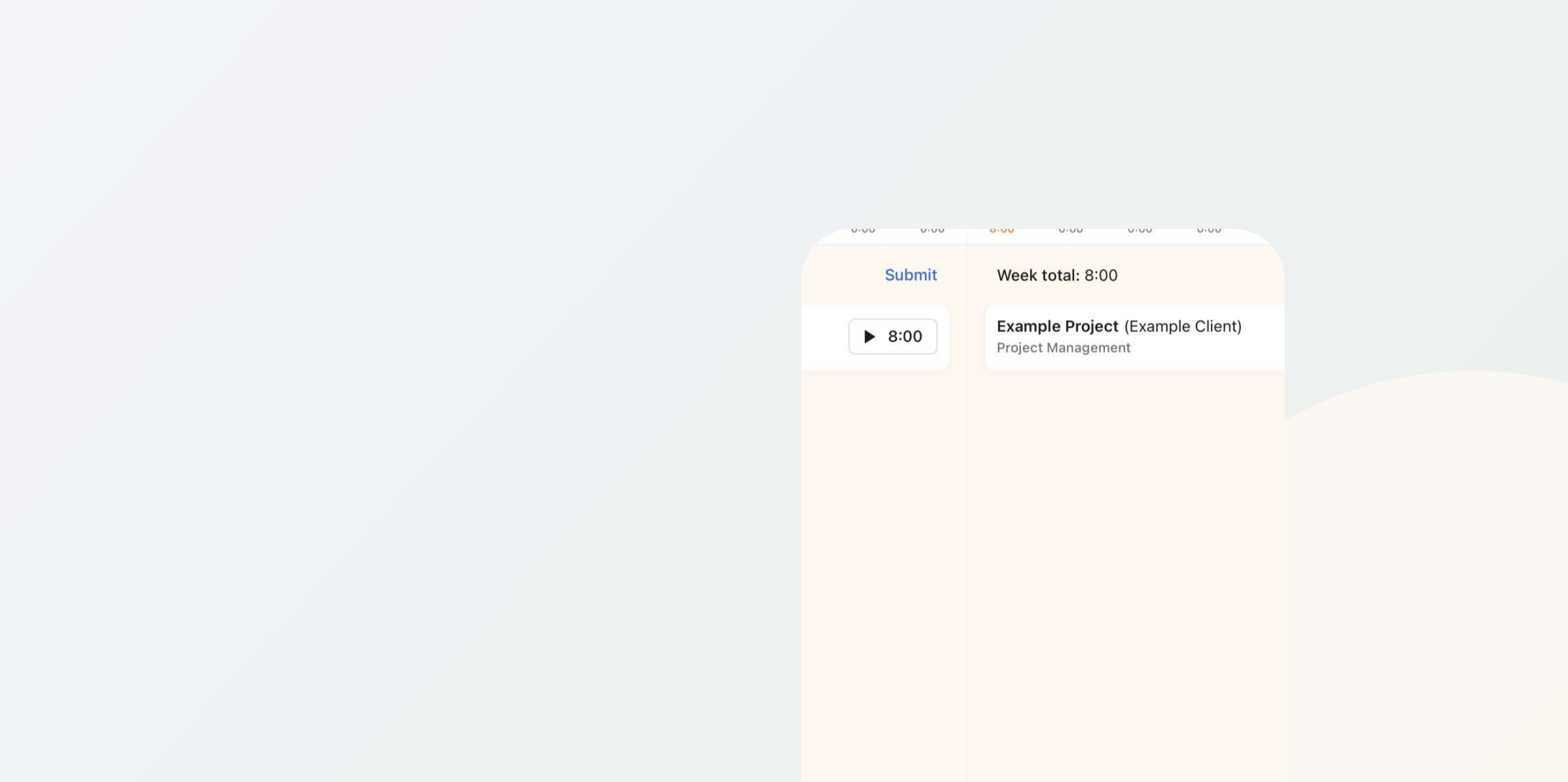
Since around 70% of our user base fills their time weekly, the design was more accommodating to bulk logging time where user chooses the day and inputs the amount of hours worked.
Accommodating to the other 30% of daily users
Understandably, over a quarter of our user base prefers to fill their timesheets daily. The process is not any different, once the user fills out the first day they can edit the remaining days and add more jobs on the top right.
Deleting logged hours
Deleting logged timesheets is possible with 2 clicks.
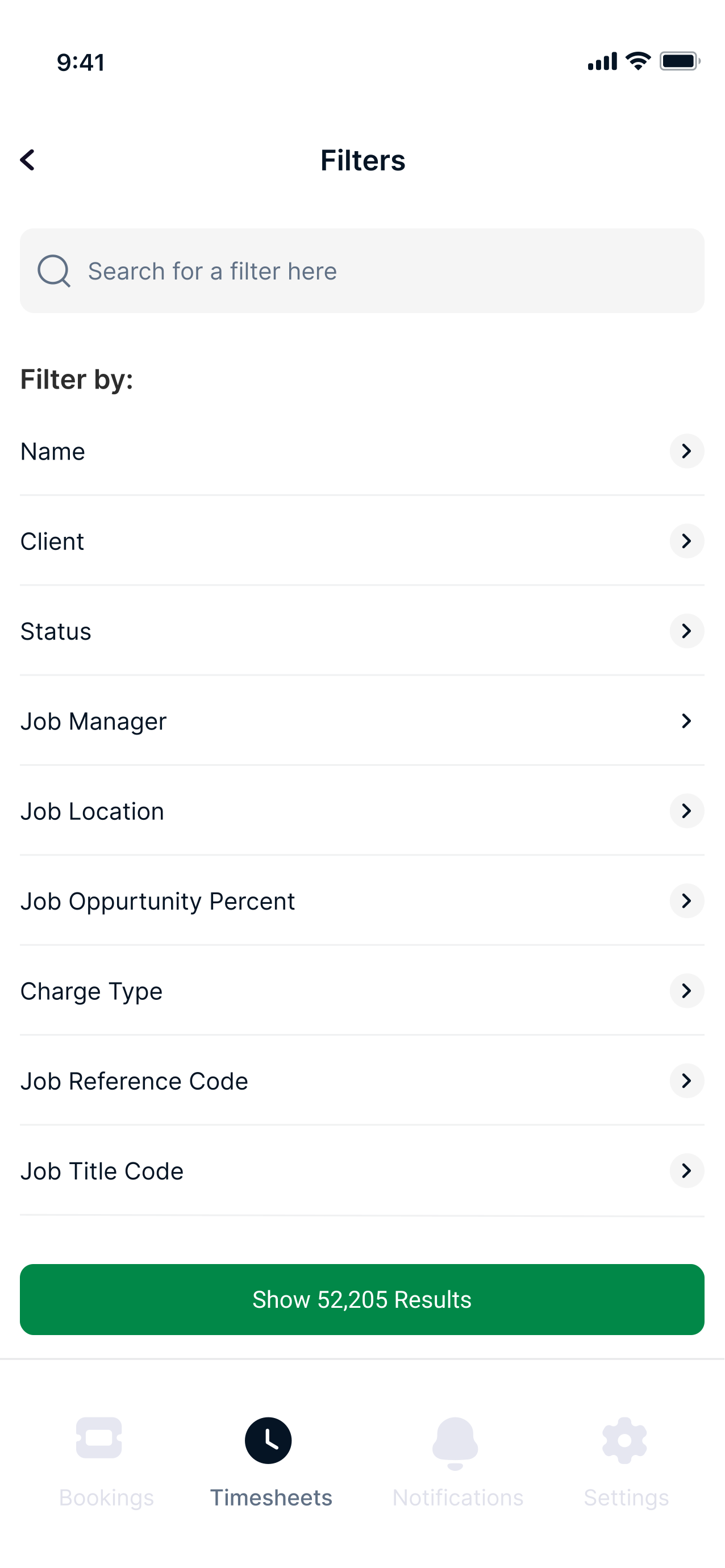
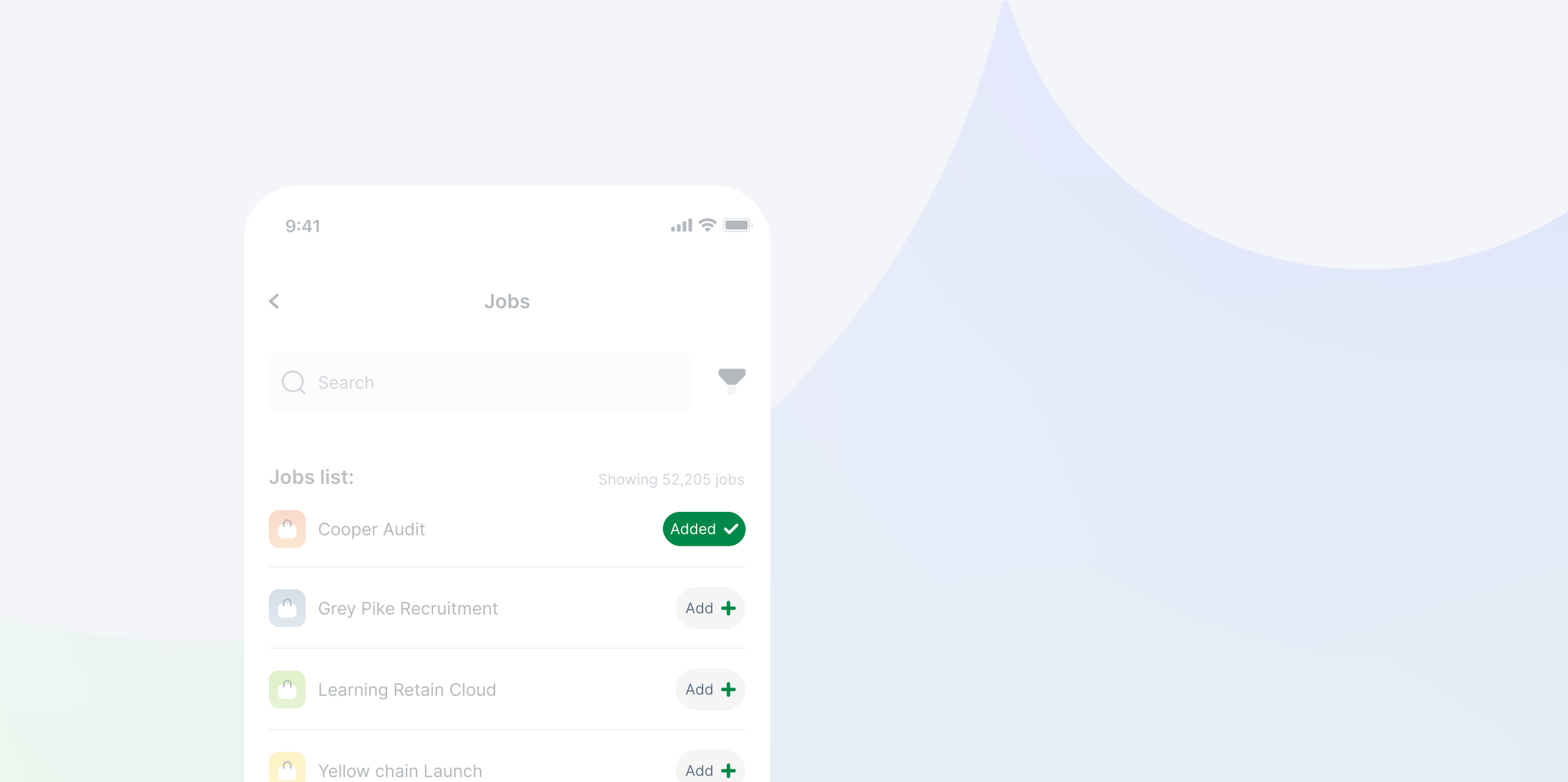
Filtering the job list
A user might have access to thousands of jobs, but that does not mean that the person has worked there. For that reason the user is able to filter out by name, status etc or simply search for their job.
Fun fact
Enhancing the entire company (designwise)
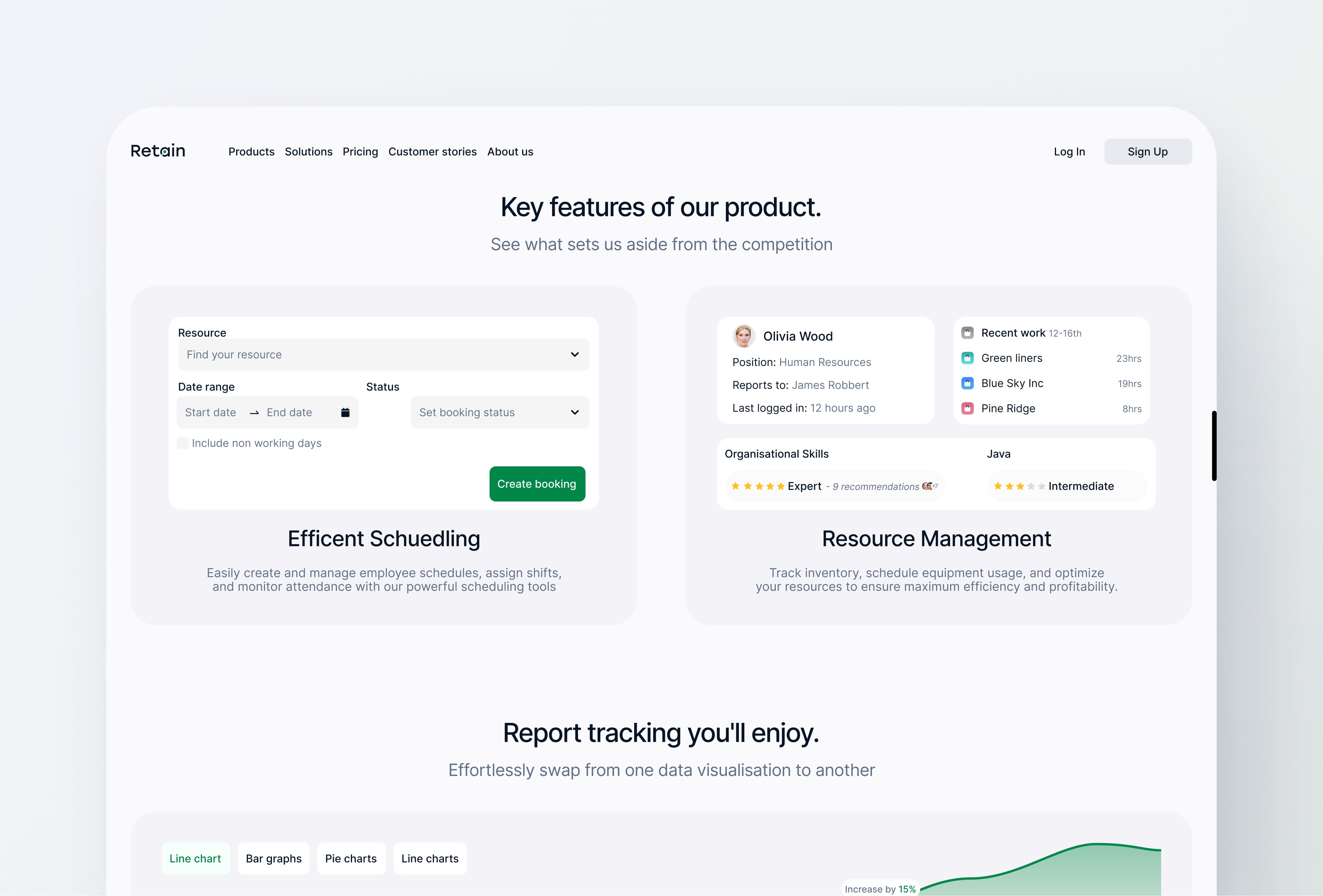
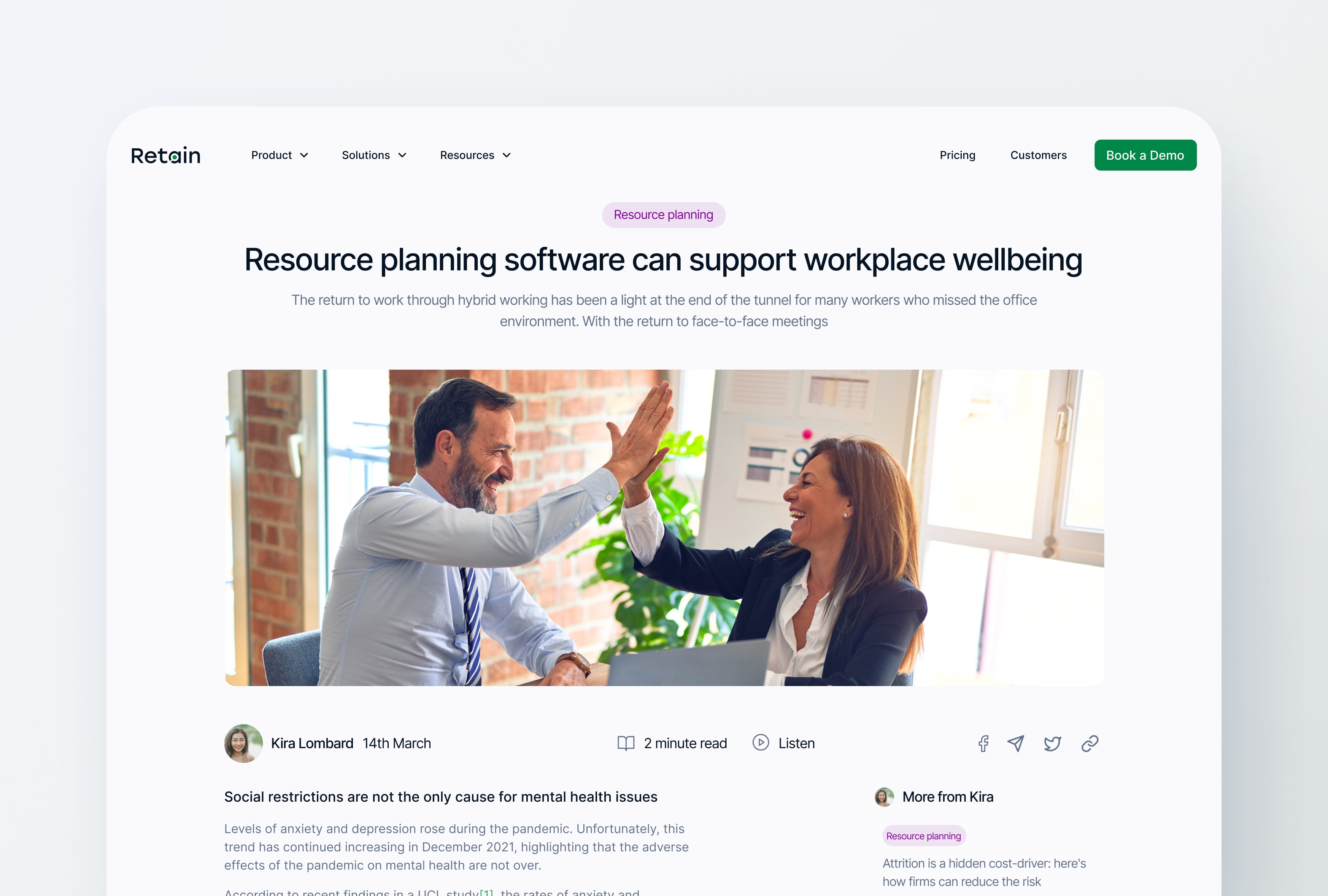
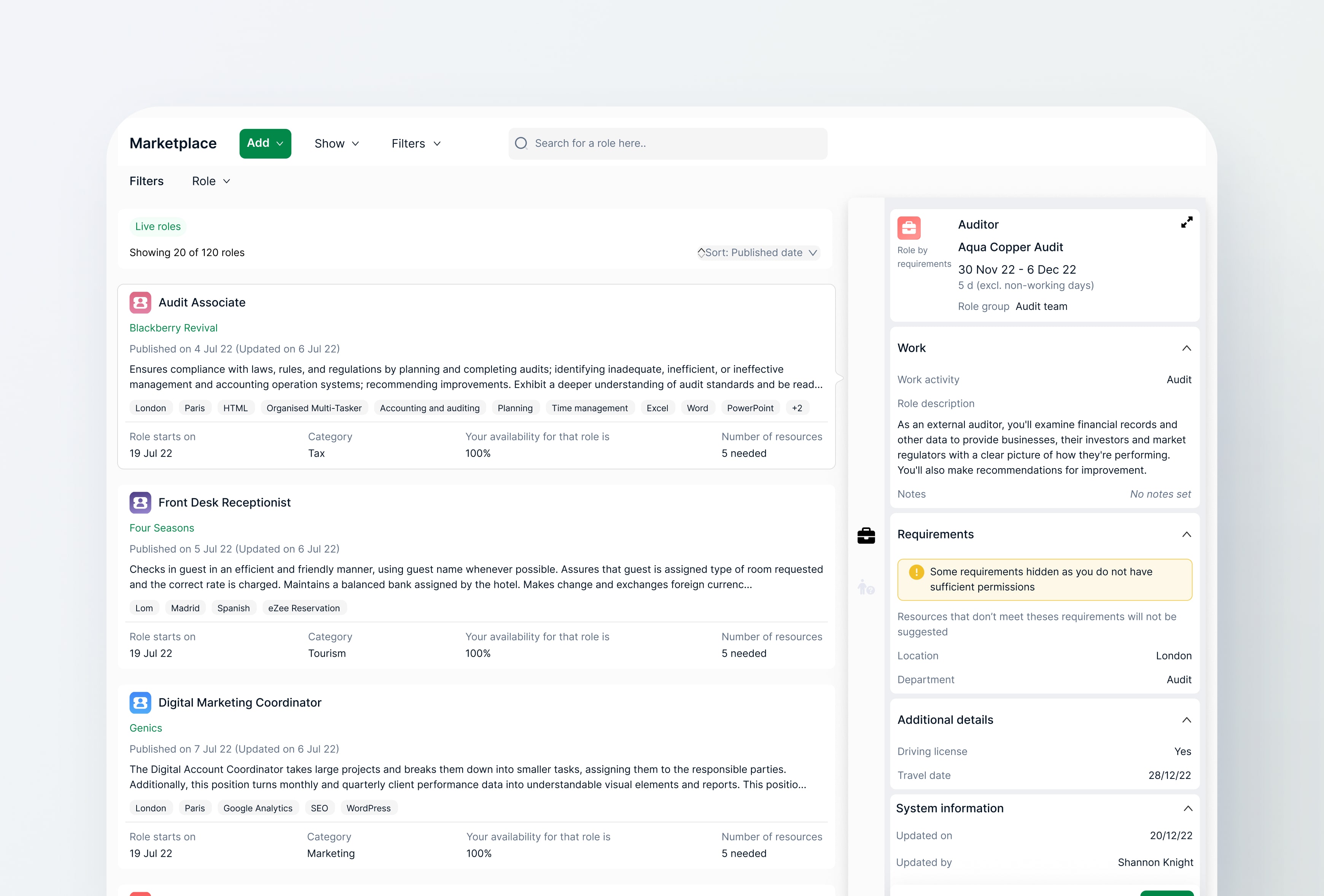
My new line manager liked the redesign of the mobile application so much we set out as a team to design the desktop cloud product as well as the marketing site. Unfortunately, I left Retain before I could see the cloud application live. Retain's parent Company (Capita) sold Retain to another company and from what I can see the designs are still yet to be made live. Below you can find some of the designs I worked on.
I hope you enjoyed the read so far!
To see the design process and how the design solution came to be, please continue to scroll.
Or feel free to see
other projects
User research
The user's needs, wants &Ā their pain points
I collaborated with the product owner to establish when users log their time. Although precise measurements weren't feasible, we found that roughly 70% of users log their time on a weekly basis, while the rest do so daily.
Needs and wants
Our research reveals a need for a mobile app that tracks daily and weekly work hours, syncing to the cloud for accurate logs. This app will help users bill clients precisely and find suitable job matches. It should support both daily and weekly tracking, ensuring flexibility and secure, accessible data across devices.
Pain points
Users currently face limitations with the existing system, as it relies on a computer or laptop for logging time. This dependence becomes inconvenient when users forget to upload their worked hours, resulting in inaccurate billing. There is a clear need for a more reliable solution to ensure precise time tracking and billing.
So it really comes down to..
Weekly and daily users
From the research conducted there are 2 user groups; Weekly and daily input users. Regardless of their timesheet input behaviour, both users are struggling with logging in the worked hours into their digital timesheets. Causing disturbance in what jobs they are matched with and billing clients.
user stories
Looking at why there is a need for mobile timesheets from a user perspective
From the user research I created a couple of user stories to empathise with the user.
TailGate Media
Total hours: 16.4
Jane Stevenson
1. I want to be on top of filling in my timesheets so that I can ensure it has been approved by my manager and processed for payroll.
2. I want to be able to submit my timesheet every week so that I worry about forgetting to submit it at the end of the month.
3. I want to view my timesheet history and track my progress to see how my time management has improved over time.
4. I want to be able to manage my timesheets remotely so that I don't need to log into the system but rather update on the go.
5. I want to be able to easily view which project I am currently working on so that I can ensure I am billing the correct project.
How might we allow our users to effortlessly log their worked hours into their digital timesheets with ease and efficiency, reducing the burden of logging in timesheet hours?
Storyboarding
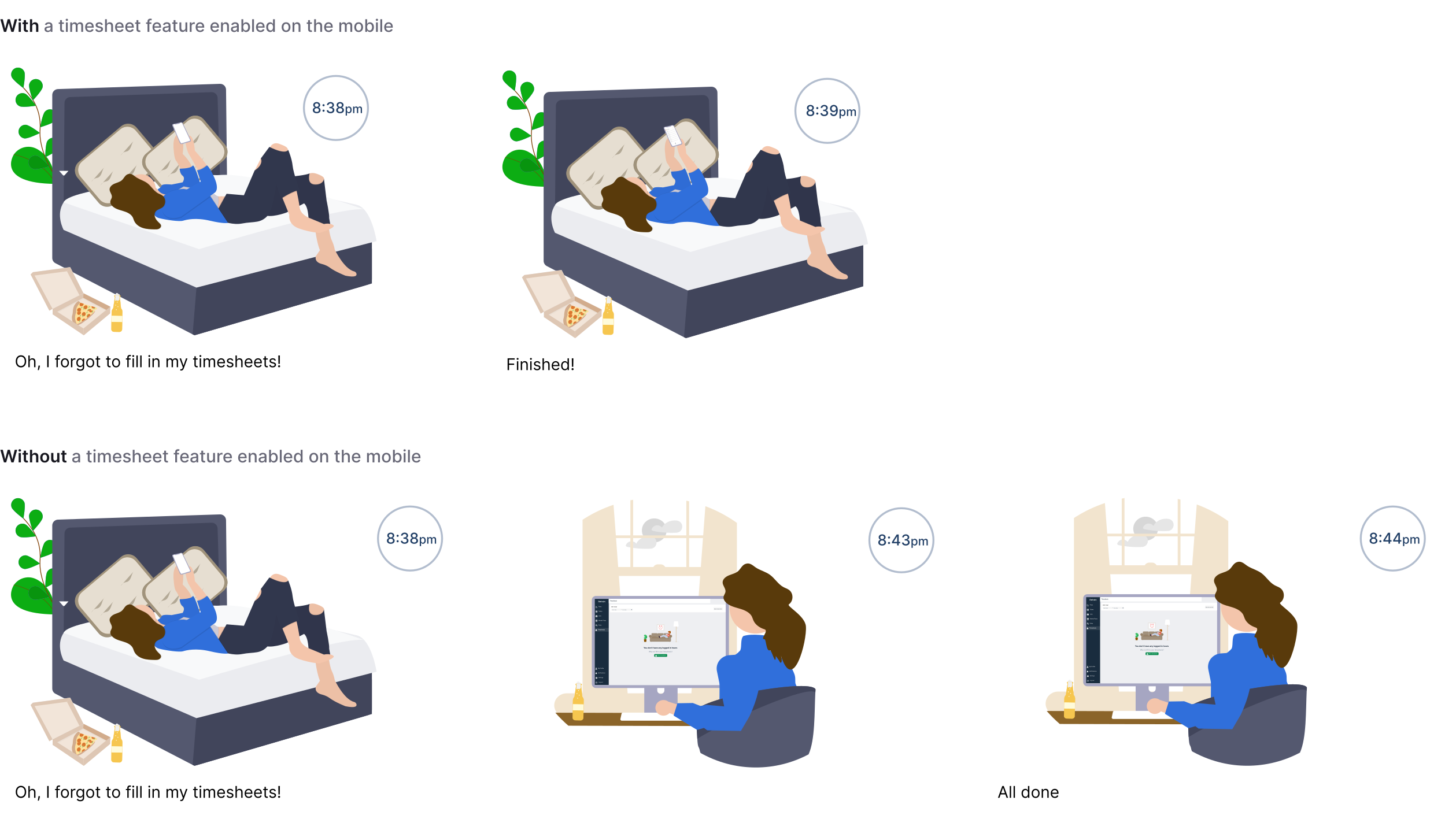
Bridging a gap to log timesheets from anywhere at anytime
Competitor analysis
What are other companies out there doing?
As I looked into our main competitors I realised our main competitors don't offer timesheets as a service or feature so I looked at indirect competitors such as Harvest.
HarvestĀ 
What can we learn from Harvest?
Harvest's main goal is to track time. However, to track daily time, whilst it solves the issue of logging time through a mobile device it's not tailored to our users where just under 3/4 prefer to log their time weekly
Pain Point
Oppurtunity
Repetative process
Users can't log multiple jobs simultaneously, which frustrates those needing to input several without redoing everything.
Quick Toggles for efficient timesheets, with customisable options to add common hours adds a nice touch.
Daily log in
Harverst only allows you to see your hours per day and not all at a week's glance.
Provide a weekly overview for quick assessment of job hours worked.
Low fidelity wireframes
Getting ideas into visual mvps
At this stage, my design team was under a joint new management, both my line manager and my new liner manager were working together. I designed a few low-fidelity wireframes of how the design could look to my new line manager, product owner and devs to see if they have any issues with the proposed idea.

One technical issue I brought up was what if they don't have an internet connection.Long story short, as long as they loaded their jobs when they had an internet connection the user can log their times and it will be cached and updated once there is a viable connection.
User flow
Mapping out the user's steps
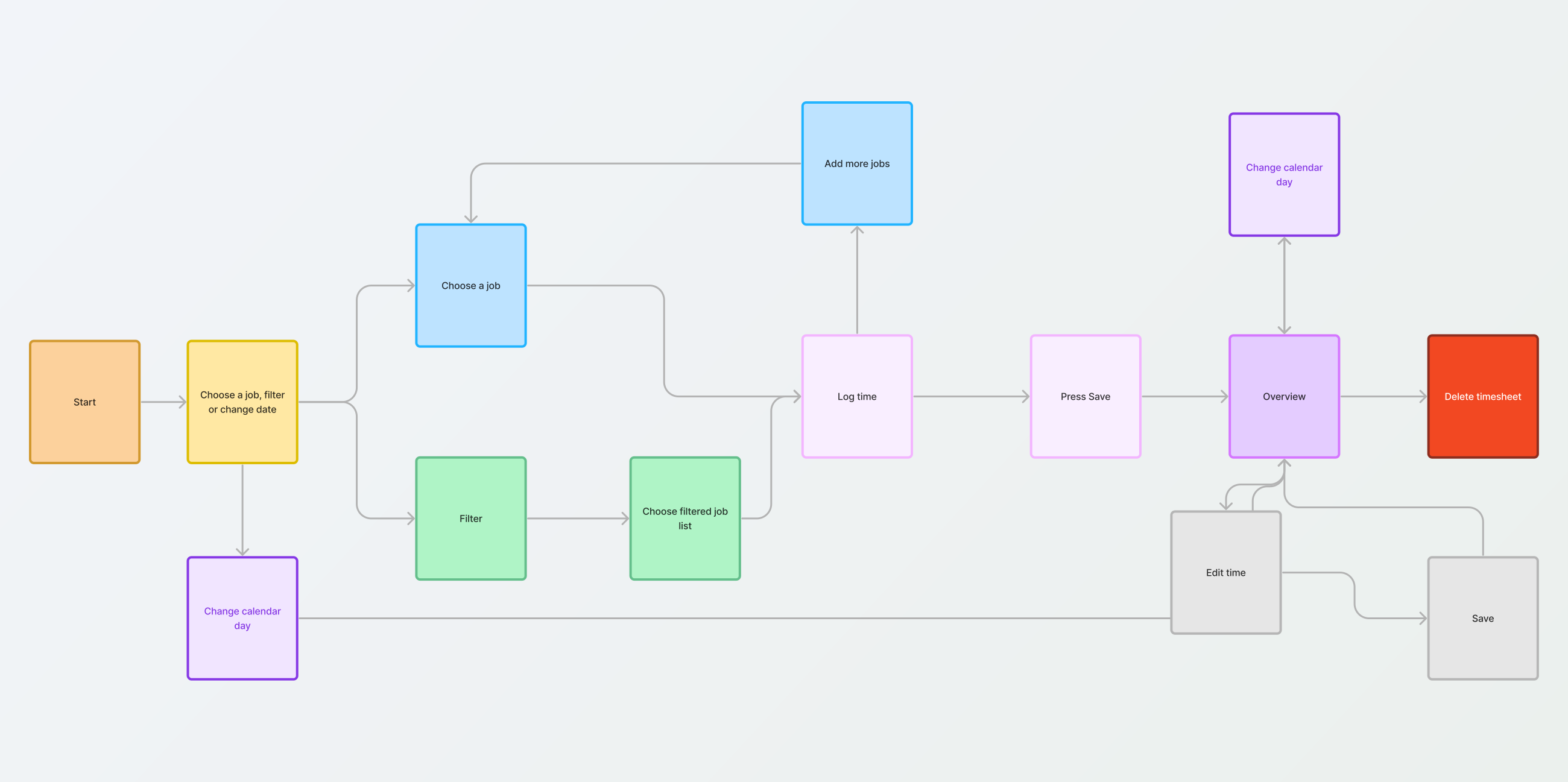
The user flow was created for the product, dev and design team to have a full view of the new feature and its functionality but also allowed me to identify any gaps in the user journey.
The original
How the design would have looked
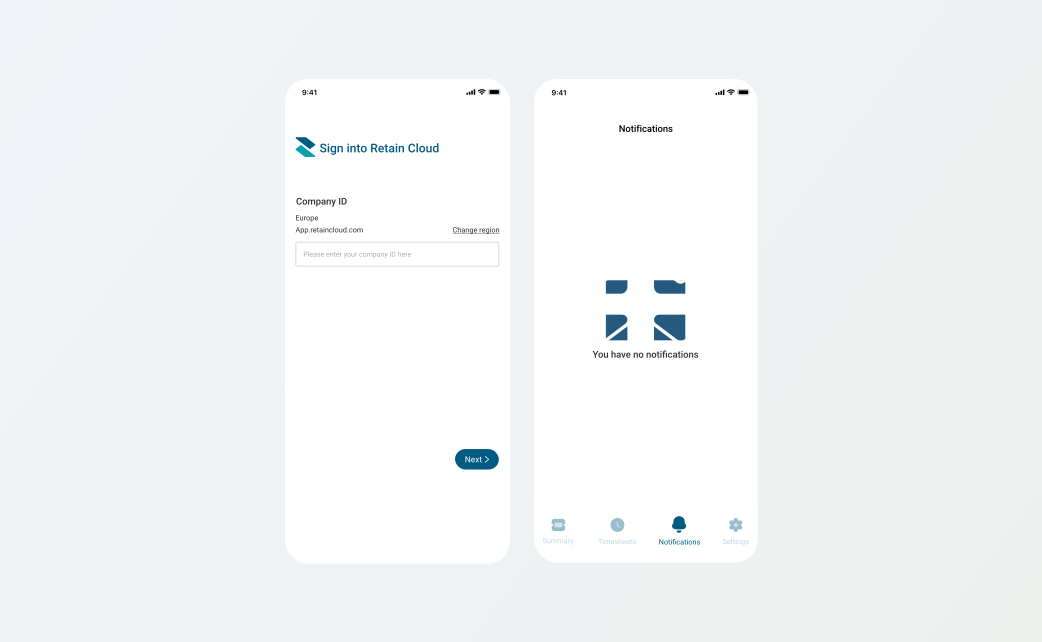
I mentioned at the start I redesigned the entire application, this is how the design would have looked with the orignal UI

I spoke to my new line manager about modernising the platform and our concerns about the missing mobile design system and was happy for me to carry out the redesign of the application.
Design rationale
The reasons behind certain design choices
Job icons
I added these icons to bring colour into the application and to give it a more quality and premium feel, our users deserve better.
Add job button
For a more premium look and feel and as well as to cater for jobs with longer names the add text was removed and the plus icon stayed.
Dev hand off
How I handed off the designs for development
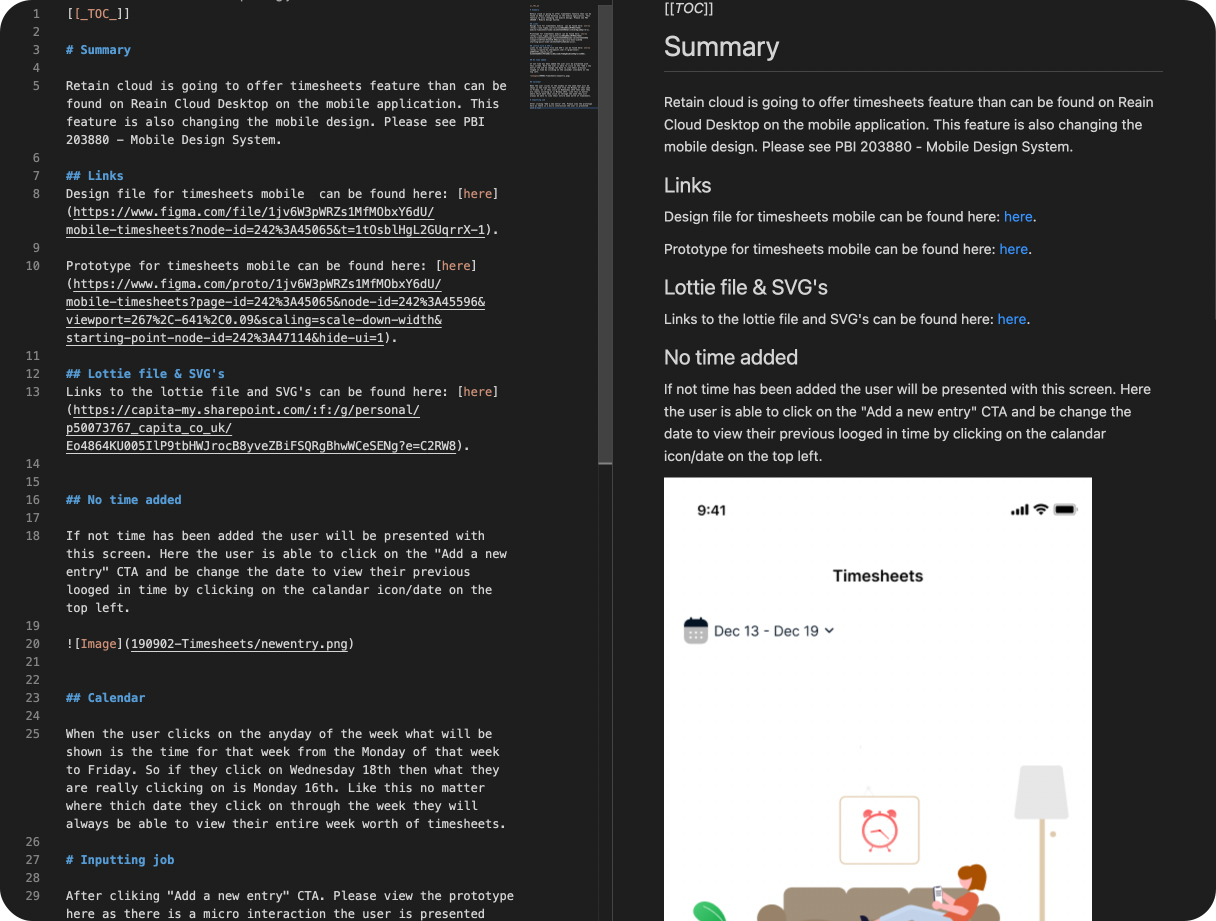
The hand-off process included meetings with devs and product owners. I documented the design process on Visual Code, uploaded it to DevOps via Tower, and provided ongoing support. Accessing the Retain Test Flight app also prompted additional dev meetings.
Out of scope designs
Functionality that didn't make it in this release
Unfortunately, adding additional features was out of scope. I liked the Harvest's time quick toggles. Below is a design for how the adding time could have looked on the application.I do understand why it was out of scope for this milestone at least considering this was supposed to be a mobile feature only and turned into an entire platform rebrand with its design system
Reflection
My thoughts on this project
Wow! This was a great piece to work on. It turned out so much better than I expected. Whilst it was a messy process ultimately starting with a mobile feature, changing management and then proposing the idea of a rebrand to then being the designer to lead the rebrand for the design system for both platforms mobile and desktop was amazing.The usability testing was a great success and not much iteration was needed.
Leading mobile designs
From here on any mobile ticket was given to me so I was in charge of the mobile application as well as maintaining and updating the mobile design system.